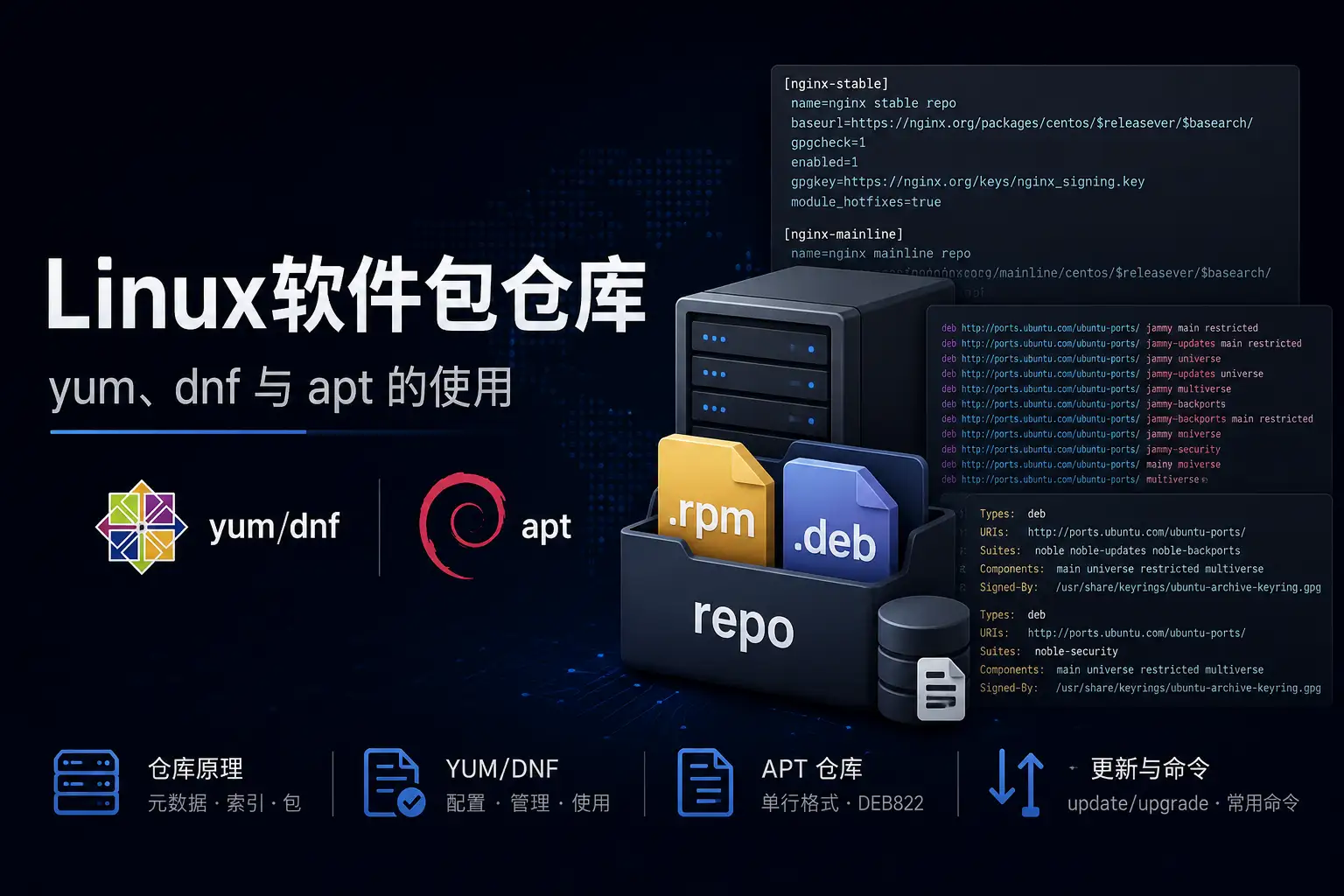
一、仓库是什么
仓库的本质:一个带索引的文件服务器
不管是 yum 还是 apt,软件仓库的本质都一样:
- 一堆 .rpm/.deb 包文件
- 一份描述这些包的元数据索引
包管理器先下载元数据(几十KB),在本地搜索/解析依赖,然后只下载需要的包。
二、yum/dnf 仓库
案例
1 | [nginx-stable] |
-
name:仓库的名字 -
baseurl:仓库的url,一个有repodata目录的 url,存储元信息,支持本地URL,形如file:///mnt/repo -
$releasever:发行版版本,如 9 -
$basearch:架构,如 x86_64 -
gpgcheck:是否检查 GPG 密钥 -
enabled:是否启用仓库 -
gpgkey:gpg密钥,可以是本地文件、也可以是一个 URL.
这些变量可以通过一行 python 脚本获取
1 | python3 -c "import dnf; db=dnf.Base(); print(db.conf.substitutions)" |
三、APT 仓库
apt 仓库两种配置格式:
- 单行格式(One-line)— 传统,兼容性好
- DEB822 格式(.sources)— 新格式,更清晰
3.1 单行格式
1 | # /etc/apt/sources.list (ubuntu 22.04) |
| Suite | 含义 |
|---|---|
focal |
发布时的原始版本,基本不动 |
focal-updates |
发布后的 bug 修复更新(稳定后推送) |
focal-security |
安全漏洞修复,优先级最高、最快推送 |
focal-backports |
从更新版 Ubuntu 移植回来的新版本软件,可选 |
| Component | 维护者 | License |
|---|---|---|
main |
Canonical 官方维护 | 全开源 |
restricted |
Canonical 官方维护 | 部分闭源(如 GPU 驱动) |
universe |
社区维护 | 全开源,但官方不保证 |
multiverse |
社区维护 | 有版权限制的软件 |
3.2 DEB822 格式
DEB822 格式 更加清晰,变成了键值对的形式.
1 | # /etc/apt/sources.list.d/ubuntu.sources (ubuntu 24.04) |
四、update 和 upgrade
这两个命令在 APT、YUM 有区别.
- YUM
几乎一致,只有在极少数情况下行为才不一致
1 | yum update |
- APT
update = 更新索引,upgrade = 升级软件包
1 | apt update |
五、常用命令
5.1 yum / dnf 常用命令
5.1.1 安装 / 卸载
1 | yum install pkg # 安装 |
5.1.2 更新
1 | yum makecache # 只刷新元数据索引,不升级包 |
5.1.3 搜索 / 查询
1 | yum search keyword # 按关键词搜索包名和描述 |
5.1.4 仓库管理
1 | yum repolist # 列出所有已启用的仓库 |
5.1.5 指定仓库安装
1 | # 临时启用某仓库安装(不改配置文件) |
5.2 apt 常用命令
5.2.1 安装 / 卸载
1 | apt install pkg # 安装 |
5.2.2 更新
1 | apt update # 只刷新元数据索引,不升级包 |
5.2.3 搜索 / 查询
1 | apt search keyword # 按关键词搜索 |
5.2.4 仓库管理
1 | add-apt-repository ppa:user/name # 添加 PPA 仓库 |
5.2.5 禁用仓库
1 | # 单行格式(.list):手动注释掉那一行 |
本博客所有文章除特别声明外,均采用 CC BY-NC-SA 4.0 许可协议。转载请注明来源 一世贪欢的私域!
相关推荐
2026-05-05
CentOS-7
一、repo 脚本 1.1 Base源配置脚本 1vi 000_init_repo.sh 12345678910111213141516171819202122232425262728293031323334353637383940414243444546474849505152535455565758596061626364656667686970717273747576777879808182838485#!/bin/bash#000_init_repo.sh#author: qiankong#version: v1#desc: base源下载#date: 2025-12-19if [ ! $(id -u) -eq 0 ];then echo "使用root或者sudo su运行此脚本" exit 1;fi# ------------环境准备------------GREEN="\033[32m"RED="\033[31m"YELLOW="\033[33m"RESET=...
2026-05-18
WSL安装体验
windows sub linux 一、基本安装 官方文档 1.1 法一:在线安装 安装 wsl 1wsl --install 在线查看可安装的系统 1wsl --list --online 安装指定的系统 1wsl --install -d <系统名称> 1.2 法二:离线安装WSL,在线安装系统 网慢,法一安装不上。 启用 WSL 和虚拟机平台 12dism.exe /online /enable-feature /featurename:Microsoft-Windows-Subsystem-Linux /all /norestartdism.exe /online /enable-feature /featurename:VirtualMachinePlatform /all /norestart 重启计算机 下载并安装 WSL 2 Linux 内核更新包 官方地址 设置 WSL 2 为默认版本 1wsl --set-default-version 2 1.3 法三:离线安装系统 依旧网卡,法二安装不上系统。直接下载系统的...
2026-05-05
CentOS-9-Stream
一、 配置清华源 清华源 备份旧的yum源 12mkdir -p /etc/yum.repos.d/bakmv /etc/yum.repos.d/*.repo /etc/yum.repos.d/bak/ 编辑源 1vi /etc/yum.repos.d/centos9-tuna.repo 1234567891011121314151617181920212223242526272829303132333435363738394041424344454647484950515253545556575859606162636465666768697071727374757677787980818283848586878889909192[baseos]name=CentOS Stream $releasever - BaseOSbaseurl=https://mirrors.tuna.tsinghua.edu.cn/centos-stream/$releasever-stream/BaseOS/$basearch/os# metalink=https://mirrors.ce...
2026-05-05
Vmware安装Ubuntu-24-server
VMware安装Ubuntu24 认真整理一遍吧。 一、基础环境 Windows10 IoT 2021 LTSC VMware 17.6.4 ubuntu-24.04.2-live-server-amd64.iso 镜像 二、详细步骤 2.1 建立虚拟机 2.1.1 新建虚拟机 2.1.2 选择硬件兼容性,保持默认 2.1.3 稍后安装操作系统 2.1.4 选择操作系统版本 2.1.5 设置虚拟机名称和存放路径 2.1.6 设置处理器数量 2.1.7 设置内存大小 2.1.8 设置网络类型 2.1.9 选择IO 控制器 2.1.10 选择磁盘类型 2.1.11 创建新磁盘 2.1.12 设置磁盘参数 2.1.13 设置磁盘文件的路径 2.1.14 自定义硬件,设置光驱 2.1.15 设置光驱位镜像文件 2.1.16 完成虚拟机的安装 2.2 安装虚拟机 2.2.1 开启虚拟机 2.2.2 选择安装 2.2.3 选择语言 2.2.4 选择键盘布局 2.2.5 选择安装类型,最小化安装不好用 2.2.6 配置静态ipv4地址 2...
2026-05-05
Vmware安装CentOS7
Vmware安装CentOS7 认真整理一遍吧。 一、基础环境 Windows10 IoT 2021 LTSC VMware 17.6.4 CentOS-7-x86_64-DVD-2009.iso 镜像 二、详细步骤 2.1 建立虚拟机 新建虚拟机 选择硬件兼容性,保持默认 稍后安装操作系统 选择操作系统版本 设置虚拟机名称和存放路径 设置处理器数量 设置内存大小 设置网络类型 选择IO 控制器 选择磁盘类型 创建新磁盘 设置磁盘参数 设置磁盘文件的路径 自定义硬件,设置光驱 设置光驱位镜像文件 完成虚拟机的安装 2.2 安装操作系统 开启虚拟机 安装系统,或测试光驱后安装系统 选择语言为英文 设置时区为上海 设置磁盘分区为默认 设置网络时,如果选择 NAT,静态 IP 要和 VMware NAT 的子网一致,否则无法联网。 设置网络 开始安装 设置root密码 新建普通用户,并加入管理员组 ...
2026-05-05
Ubuntu-26.04-TLS
Ubuntu26.04TLS 重装系统后的一些基础设置。(双系统) 安装过程索然无味,但是 btrfs 文件系统值得记录。 一、环境准备 下载安装 ventoy 下载镜像 1https://releases.ubuntu.com/resolute/ubuntu-26.04-desktop-amd64.iso ventoy 处理 U盘,然后放进去 ISO 文件 二、安装系统 开机 LOGO 后,按 F2 调整启动顺序,将U盘置顶 关闭 Boot Security 进入 Live 系统 一直下一步, 分区挂载 选择 btrfs 文件系统挂载 / 选择 ESP 分区挂载到 /boot/efi 安装结束后,继续体验系统,千万不能重启 三、尝试使用 btrfs 3.1 子卷结构迁移 刚安装系统后系统会挂载在 /target 打开终端,提权到 root,方便后续操作 1sudo -i 确认磁盘分区 1lsblk 卸载安装程序残留的挂载点 1umount -R /target 挂载 btrfs 分区到到 /mnt 下,物理机可能是 /dev/nvme0n...
评论